آپ کی دکان، اُس کا آئینہ
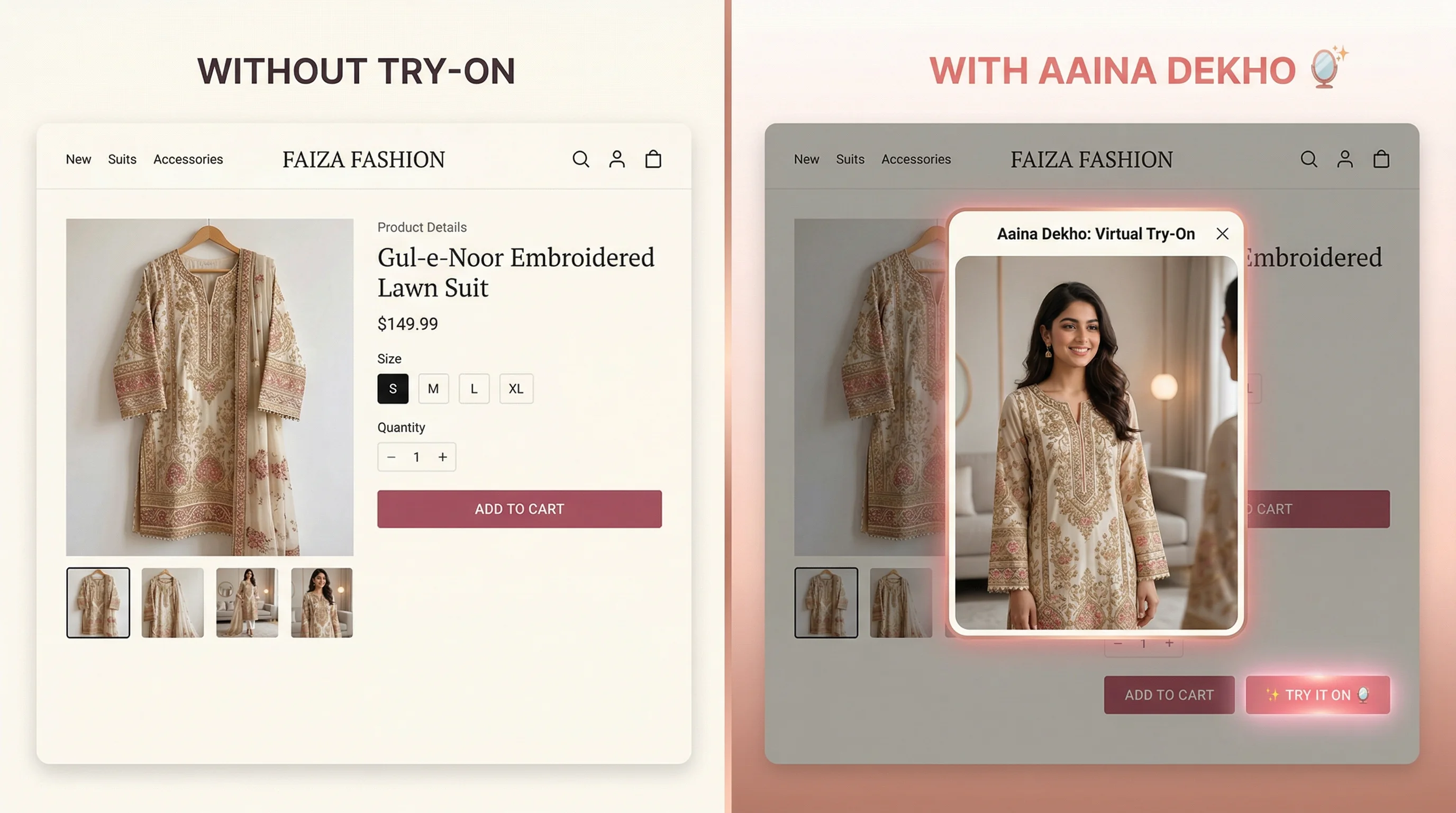
One script tag adds a “Try It On” button next to Add to Cart. Your shopper uploads one photo, sees herself in the outfit, and buys with fewer doubts. Dupatta draped, hijab kept on, her skin tone untouched.
The doubt before checkout
Every product photo shows the outfit on a model who isn't her. So she guesses at the length, how the dupatta will sit, and whether the colour suits her skin. If she can't picture it, she closes the tab. If she guesses wrong, it comes back.
How it works
One script tag in your product template. Shopify, WooCommerce, Magento or anything else you can edit. A “Try It On” button appears on every product page. No developer, no redesign.
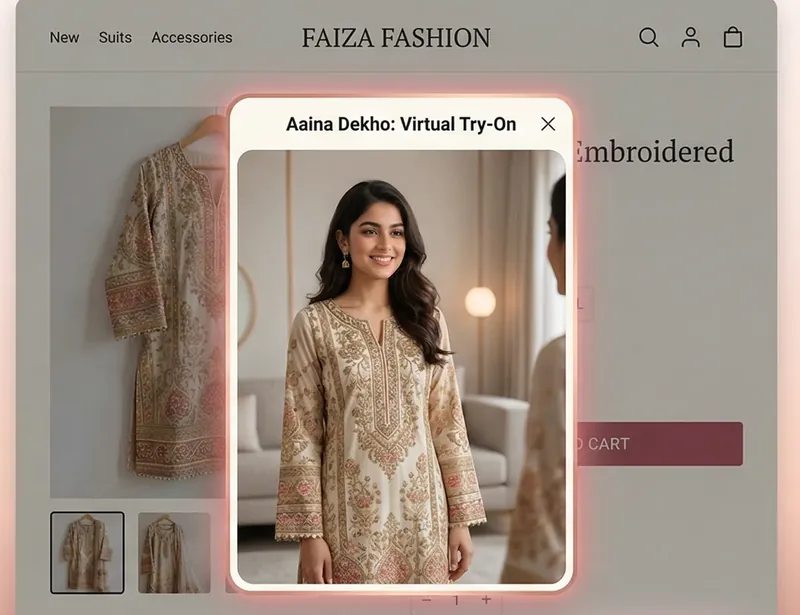
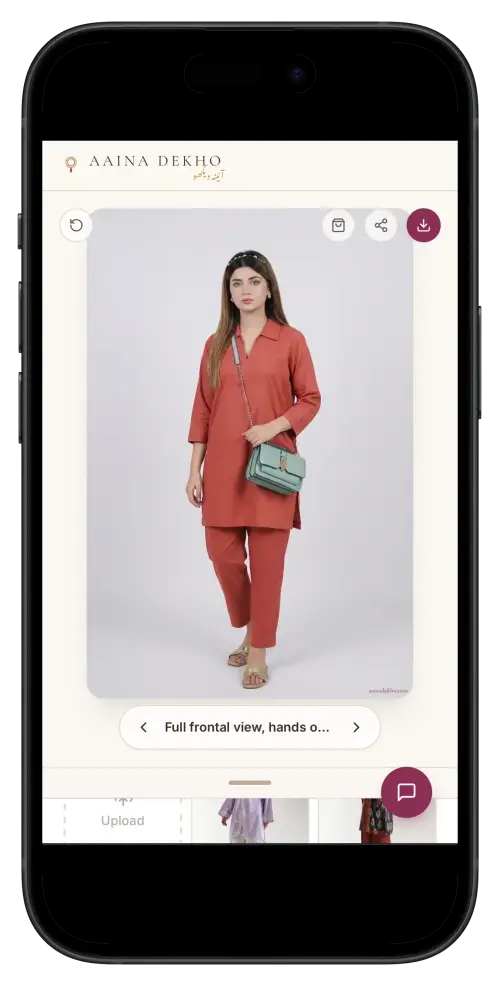
A full-screen try-on opens over your page. The first time, she uploads one photo. Every time after, she's already there, because her model is saved on her own phone.
Your product's price and Buy button sit inside the try-on, so the sale happens right where the doubt disappeared.
Why it works for your clothes
Most try-on tools were trained on Western catalogues. They flatten the dupatta, drop the hijab and lighten skin, which on a Pakistani brand's product page is worse than no try-on at all. Ours was built the other way round.
Falls over the shoulder with real weight, instead of being flattened onto the kameez.
A head covering is preserved, never quietly removed to make the fit easier.
Her complexion is kept exactly. No lightening — the failure we refuse to ship.
Zari, thread work and printed borders survive the transfer, because that's the product.
How to install it
No SDK, no npm install, no build step. One snippet in your product template, with your key in it.
<script
src="https://aainadekho.com/widget.js"
data-api-key="pk_your_key_here"
data-product-image="{{ product.featured_image | image_url }}"
data-product-name="{{ product.title }}"
data-product-price="{{ product.price }}"
data-product-url="{{ product.url }}">
</script>
Your key replaces
pk_your_key_here. Keys are
issued by hand while the widget is in beta.
Ask for one below
and we'll email it and help you paste it in.
The widget is in private beta and free while it is. Tell us about your store and we'll send your key and get you set up on WhatsApp.
Also from Aaina Dekho
Upload your unstitched fabric and get catalogue-ready photographs of a Pakistani model wearing it, stitched — without booking a studio.
Common questions
You paste a single script tag into your product page template. It adds a floating "Try It On" button to every product page. There is no SDK, no npm install and no build step — one line of code is the entire integration.
Fill in the beta form on this page. The widget is in private beta, so keys are issued by hand: we email your key, help you paste it into your template, and can walk you through it on WhatsApp if you leave a number. It is free while the beta lasts.
The Aaina Dekho widget is a plain script tag, so it works on Shopify, WooCommerce, Magento and any platform where you can edit the product page template. On Shopify it goes into product.liquid and reads the product image, title, price and URL from the existing Liquid variables.
Yes. The widget runs on the same model as the rest of Aaina Dekho, which was built for Pakistani clothes rather than adapted from a Western try-on tool. A dupatta keeps its drape and weight, a hijab or head covering is preserved, zari and printed borders survive the transfer, and the shopper's skin tone is never lightened.
Customer photos are never written to Aaina Dekho's servers. The image is compressed in the shopper's own browser, sent over an encrypted connection for processing, and exists only for the duration of that request. The only lasting copy is in the shopper's own browser storage on their own device — which is also why a returning customer sees themselves in your outfit instantly without uploading again. Photos are never sold, shared or used to train a model.
The Aaina Dekho try-on widget is free during beta. Brands using it will be given notice before that changes.